Guide · Published September 2026
Python doesn’t have a single obvious “remove duplicates” method for lists the way some languages do, which is why there are several common approaches floating around. They’re not interchangeable — the difference that actually matters is whether the result keeps the original order.
Method 1: dict.fromkeys() (preserves order)
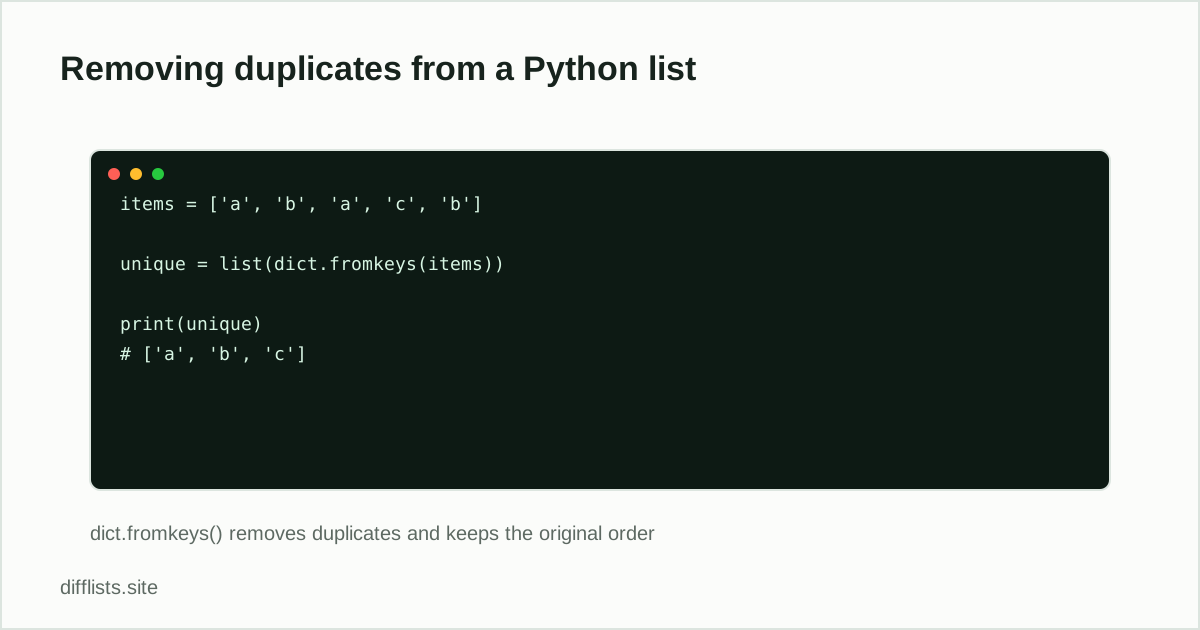
Since Python 3.7, dictionaries preserve insertion order, which makes this the cleanest order-preserving dedupe:
unique = list(dict.fromkeys(items))
This works because dict.fromkeys()builds a dictionary from the list, and a dictionary can’t have duplicate keys — so re-inserting an existing key is a no-op, but the first occurrence keeps its position.
Method 2: set() (fast, but unordered)
unique = list(set(items))
This is the shortest and generally fastest option, but the result’s order is not guaranteed to match the input order — for a small list of strings it may look ordered by coincidence, but don’t rely on that. Use this only when the final order genuinely doesn’t matter, for example before sorting the result anyway.
Method 3: a list comprehension with a seen set
Explicit, order-preserving, and doesn’t require items to be usable as dict keys in the same way:
seen = set(); unique = [x for x in items if not (x in seen or seen.add(x))]
It reads awkwardly (the or seen.add(x) trick relies on set.add() returning None, which is falsy), so most people reach for dict.fromkeys() instead unless they need to also filter on some other condition inside the same comprehension.
Method 4: pandas, if the list is really a column
If the “list” is actually a DataFrame column, use pandas instead of plain Python: df['col'].drop_duplicates() or df['col'].unique(). See the pandas duplicate-removal guide for the full rundown including multi-column duplicates.
Case-insensitive and custom-key deduplication
None of the built-in approaches are case-insensitive by default — “Apple” and “apple” are different dict keys and different set members. To dedupe by a normalized key while keeping the original casing:
unique = list({item.lower(): item for item in items}.values())
Performance for large lists
All three dedupe methods (dict.fromkeys(), set(), and the seen-set comprehension) run in roughly O(n) time, since dictionary and set membership checks are close to constant time. The list comprehension you sometimes see without a seen set — checking if x not in unique for a growing plain list — is O(n²) instead, because in on a list scans the whole thing each time. That version works fine for a few dozen items and gets noticeably slower into the thousands; avoid it once the list is large.
A quick way to check your work
After deduping, a fast sanity check is comparing lengths: len(items) - len(unique) tells you how many duplicates were removed. If that number is unexpectedly zero, double check whether the items are actually identical (including whitespace and case) rather than assuming the dedupe silently failed. A common culprit is trailing whitespace copied in from a spreadsheet export.
Same idea in other languages
The underlying problem — keep one copy of each distinct value, decide whether order matters — comes up in every language. See the equivalent walkthroughs for pandas, SQL, JavaScript, and PowerShell.
No code required
If this is a one-off list rather than something in a running script, paste it into the duplicates remover instead — same result, no code to write.
Prefer not to write code for a one-off list?
Open the duplicates removerFrequently asked questions
What's the fastest way to remove duplicates from a Python list?
list(set(items)) is the fastest, but it doesn't preserve order. If order matters, list(dict.fromkeys(items)) is nearly as fast and keeps the original order.
Does set() preserve the original order?
No. Sets are unordered in Python, so converting a list to a set and back can reorder items unpredictably. Use dict.fromkeys() when order matters.
How do I remove duplicates case-insensitively?
Use a dict keyed by the lowercased value: {item.lower(): item for item in items}, then take .values() — this keeps the first original casing seen for each case-insensitive match.
How do I remove duplicate dictionaries or other unhashable items?
set() and dict.fromkeys() require hashable items, so lists and dicts won't work directly. Convert each item to a hashable form (like a tuple or a JSON string) for comparison, or dedupe with a list comprehension and an explicit seen-tracking set.