Guide · Published September 2026
You have a plain list — customer IDs pulled from a report, SKUs from an inventory export, email addresses from a support ticket — and you need to check which of those rows exist in a database table. The fastest way is usually a single query with a WHERE column IN (...) clause, but turning a pasted list into a correctly quoted, comma-separated string by hand is tedious and easy to get wrong.
What a SQL IN clause needs
IN (...) takes a comma-separated set of values. The formatting rules differ by data type:
- Numbers: no quotes —
IN (1001, 1002, 1003). - Text (strings): each value wrapped in single quotes —
IN ('SKU-1001', 'SKU-1002'). - Mixed casing matters: SQL string comparison is often case-sensitive depending on the database and collation, so match the exact case used in the table.
Step by step: list to IN clause
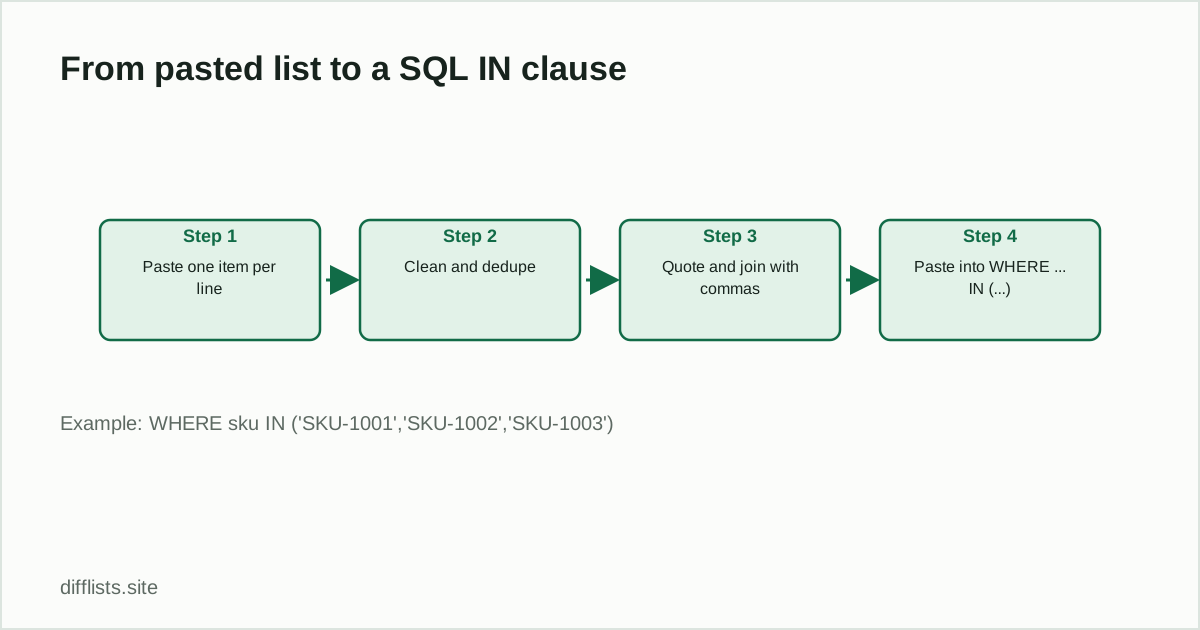
- Paste your list, one value per line.
- Remove duplicates and blank lines — a duplicate value in the clause doesn’t break anything but adds noise.
- Trim leading/trailing whitespace from each value so quoting doesn’t capture stray spaces.
- Wrap each value in single quotes if it’s text; leave numbers bare.
- Join every value with a comma and a space.
- Wrap the whole joined string in
IN (...)and paste it into your query.
Example output for a text column:
SELECT * FROM customers WHERE email IN ('a@example.com', 'b@example.com', 'c@example.com');
Cleaning the list first matters more than the formatting
Most errors in a hand-built IN clause come from the source list, not the SQL syntax — a trailing space that makes 'SKU-1001 ' fail to match 'SKU-1001', inconsistent case, or a stray blank line that turns into an empty string value. Run the list through a cleanup pass — trim whitespace, drop blanks, dedupe — before you quote and join it. See finding and removing duplicates for how whitespace and case affect what counts as a duplicate.
Checking the IN clause found what you expected
After running the query, compare the returned rows against your original list to confirm nothing was silently dropped — a common cause is case mismatch or an unexpected leading zero on a numeric-looking ID that got stored as text. Paste the original list into List 1 and the returned identifiers into List 2, then check the comparison result: anything in “Only in List 1” didn’t come back from the database and is worth investigating.
Building the clause in Excel or Google Sheets
If your list already lives in a spreadsheet column, a formula can do the quoting and joining for you instead of doing it by hand:
="'"&TEXTJOIN("','",TRUE,A2:A100)&"'"
TEXTJOIN wraps every value in the range with the given delimiter and skips blanks when the third argument is TRUE, then the surrounding quotes complete the first and last value. This works well when the source list already has a header row and consistent formatting — see the Excel comparison guide if you also need to check that column against another source before generating the clause.
A safer alternative for very large or untrusted lists
A hand-built IN clause is fine for a one-off query against a list you trust and control, like an internal export. For a list built from user input, or one large enough to be unwieldy as inline SQL text (tens of thousands of values), load it into a temporary table and join against it instead — it’s safer against injection and usually faster for the database to plan.
Related workflows
If the real goal is finding which IDs are missing from a table rather than running the query yourself, a plain data reconciliation comparison between your source list and an export of the table’s IDs answers the same question without writing SQL at all.
Clean and dedupe your list before building the query.
Open the toolFrequently asked questions
How do I convert a list of values into a SQL IN clause?
Put one value per line, remove duplicates and blanks, wrap text values in single quotes, then join them with commas inside IN (...).
Do numbers need quotes in a SQL IN clause?
No. Numeric values like IDs go in unquoted: IN (1001, 1002, 1003). Text values like emails or SKUs need quotes: IN ('a@x.com', 'b@x.com').
Is there a row limit for a SQL IN clause?
Most databases allow thousands of values, but very large IN lists (tens of thousands+) can hurt query performance — consider a temporary table or join instead at that scale.
How do I avoid a SQL injection risk when building an IN clause from user input?
Never concatenate raw user input directly into SQL text. Use parameterized queries or your database driver's array-binding feature; only hand-build an IN clause from data you control, like an internal export.
Can I remove duplicates before generating the IN clause?
Yes — dedupe the list first so the IN clause doesn't repeat the same value, which has no effect on the query result but makes the clause longer than necessary.