Free tool
Compare Two Texts, Line by Line
Paste an original and a changed version of any text below to see exactly which lines were added, removed, or left unchanged — all in your browser.
Original text
Line 0sChanged text
Line 0sHow the text diff tool works
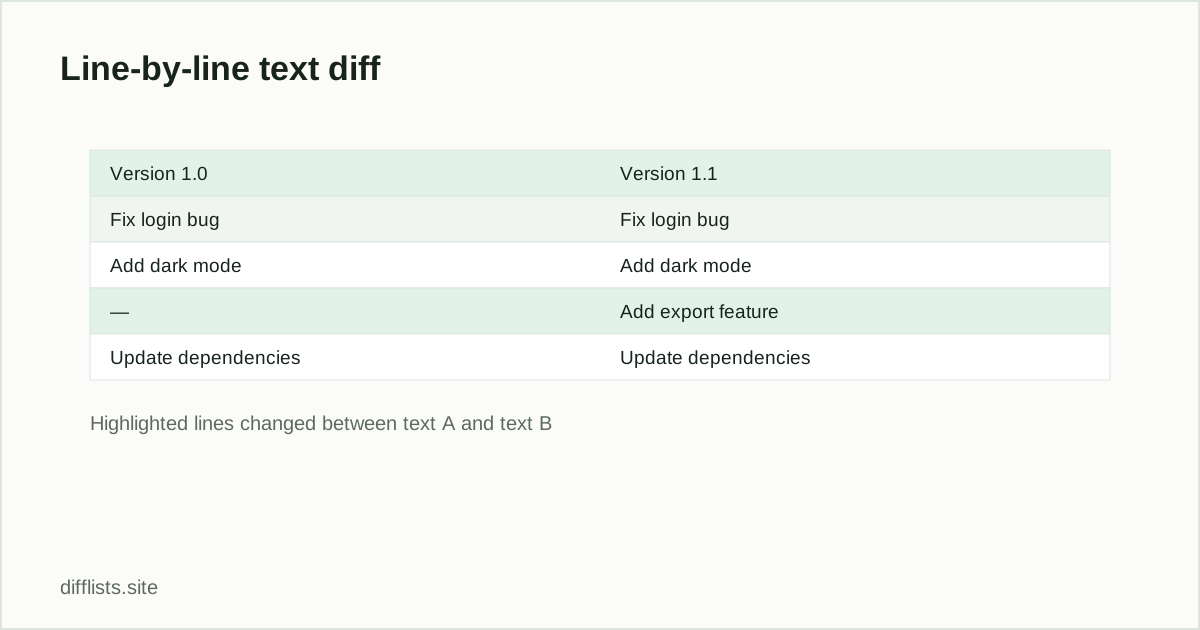
Paste the original text into the first box and the changed version into the second, then click Compare text. Each line is matched against the other text in order, so a line that moved without changing still shows as unchanged, while a genuinely new or removed line is marked clearly.
This is a sequence diff, unlike the main comparison tool’s set diff: line position and order matter here, which makes it the right tool for comparing two drafts, two config file versions, or two revisions of notes — anywhere the order of lines carries meaning.
When to use the list comparison tool instead
If you have two unordered collections — a list of IDs, emails, or SKUs — and you just want to know what’s missing, added, or shared regardless of order, the list comparison tool is the better fit; it computes the intersection, union, and both differences directly. See comparing two CSV files or columns for when to use a key-column comparison instead of a line-by-line diff.
Common uses for a text diff
- Reviewing a draft revision: see exactly which paragraphs or sentences changed between two versions of a document.
- Config file changes: compare two versions of a config, environment file, or settings export line by line.
- Changelog and release notes: spot what was added or removed between two changelog versions.
- Code snippet comparison: compare two short code blocks or scripts without opening a full diff tool.
- Email or message drafts: confirm exactly what changed between two edited drafts before sending.
Reading the diff output
Each line in the result is prefixed: a green line starting with + exists only in the second text (an addition), a red line starting with − exists only in the first text (a removal), and an unmarked line appears unchanged in both. A single edited line — a sentence with one word changed — typically shows as a removal immediately followed by an addition, since the algorithm treats it as one line replaced by a different one rather than a partial edit.
The comparison finds the longest matching sequence of lines shared between both texts and reports everything else as an addition or removal around that shared skeleton — the same underlying approach used by most command-line diff tools, just without needing to install or run one.
Tips for a cleaner diff
Line-based diffing is sensitive to how text is broken into lines, so two texts that differ only in where line breaks fall will show as almost entirely changed even if the wording is nearly identical. If you’re comparing prose copied from a word processor or a web page, reformatting both texts to consistent line breaks first (for example, one sentence per line) usually produces a far more useful diff than comparing the raw wrapped paragraphs.
Trailing whitespace at the end of a line also counts as a difference, since the comparison is exact — if a diff looks unexpectedly noisy, check whether one version was copied from a source that adds invisible trailing spaces. The invisible character detector can confirm whether that’s the cause before you spend time investigating elsewhere, saving a confusing round of manual line-by-line inspection.
Related
For unordered comparisons, see how to compare two lists online, or read union vs intersection vs difference for the set-theory background.
How is a text diff different from comparing two lists?
A text diff tracks line position and order — it shows insertions and deletions in sequence. List comparison ignores order and only cares whether a value exists in each list.
What do the +, -, and blank markers mean?
+ marks a line only in the second text (added), - marks a line only in the first text (removed), and a blank marker means the line is unchanged.
Is there a size limit on this diff tool?
It comfortably handles a few thousand lines per side. Very large inputs may take a moment since the comparison runs in your browser.
Can I compare CSV rows or list items with this instead?
You can, but for unordered data (where row order doesn't matter) the main list comparison tool gives cleaner only-in-A / only-in-B / shared results.
Can I copy just the changed lines out of the result?
Yes, the copy button copies the full annotated diff (with +/- markers) so you can paste it elsewhere for review.
Does this diff ignore whitespace or case differences?
No, the comparison is exact — a line with a different trailing space or capitalization is treated as a changed line, which is usually what you want for reviewing precise edits.