Guide · Updated July 16, 2026
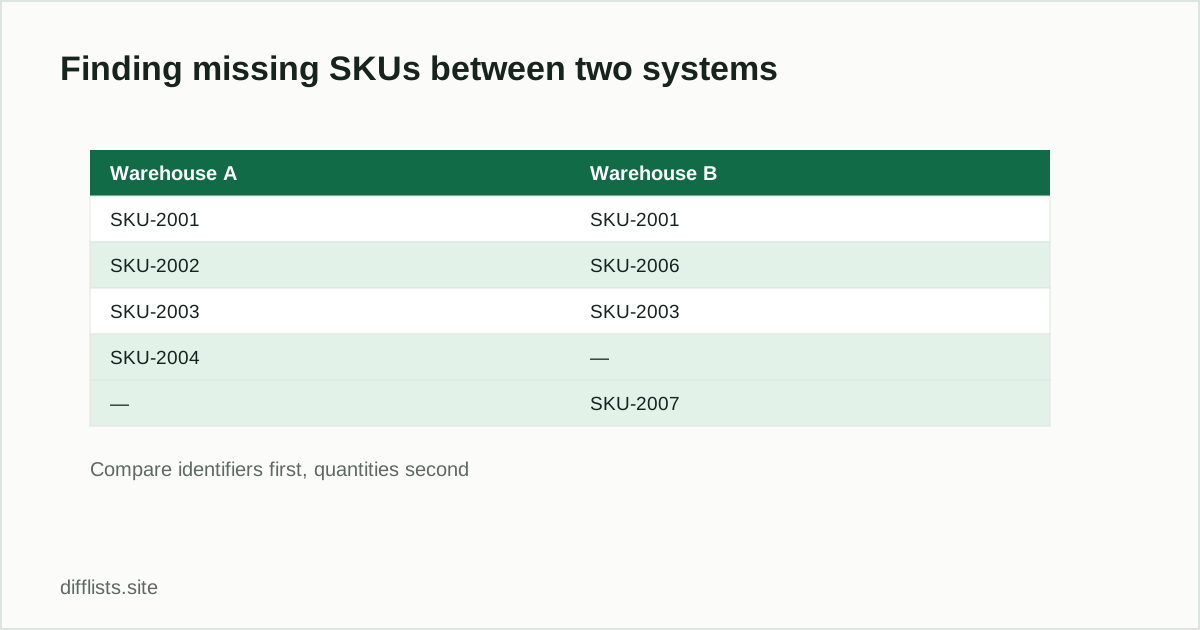
Inventory list comparison checks whether the same products, assets, or stock records exist in two systems. Compare a stable identifier such as SKU, barcode, asset tag, or product ID first; compare quantities and prices only after record coverage is correct.
Pick the right inventory key
Product names are easy to edit and rarely unique. A SKU is usually better, but it must be normalized consistently. Preserve meaningful hyphens, prefixes, and leading zeros. If the same SKU can exist in several warehouses, compare a composite value such asSKU|LOCATION so each stock record remains distinct.
Common inventory comparisons
- ERP versus storefront: find products missing from either catalog.
- Yesterday versus today: identify added and retired SKUs.
- Warehouse A versus B: compare which products each location carries.
- Asset register versus physical count: find unverified or unexpected tags.
- Supplier file versus internal catalog: discover new or discontinued items.
Run a coverage comparison
- Export the identifier column from both systems at a known time.
- Remove column headers, subtotals, and report footer rows.
- Paste or import each list and choose consistent normalization options.
- Review missing items in both directions.
- Use the intersection as the population for a second, field-level audit.
Separate missing records from quantity differences
A SKU can be present in both systems while its stock quantity differs. The first list comparison confirms coverage; the next step joins the shared SKUs and compares the quantity field. Keeping these checks separate makes the exception report easier to understand and prevents a changed quantity from looking like an entirely missing item.
Watch for formatting traps
Spreadsheet software may convert long numbers to scientific notation, remove leading zeros, or reinterpret codes as dates. Import identifier columns as text and inspect a few values before comparing. A clean-looking column can already be damaged by automatic type conversion before it reaches the comparison tool.
Document every resolved exception
Classify missing SKUs as legitimate timing differences, discontinued items, mapping errors, failed syncs, or unknown exceptions. After corrections, rerun the same export and rules. This turns a one-off diff into a repeatable inventory control.
Find missing and unexpected inventory records.
Compare inventory listsFrequently asked questions
How do I find missing SKUs between two systems?
Export the SKU column from both systems, paste them into a comparison tool, and read the only-in-A and only-in-B results — those are your missing and unexpected products.
Should I compare product names or SKUs?
SKUs — product names are easy to edit and rarely unique, while SKUs are a stable identifier when normalized consistently.
What if the same SKU exists in multiple warehouses?
Compare a composite key like SKU|LOCATION instead of the bare SKU so each warehouse's stock record stays distinct.
Can list comparison catch quantity differences too?
No — it confirms whether a SKU exists in both systems. Compare quantities as a second, separate step once record coverage is correct.